MPTAAS Renewal 2026— How to Apply, Check Status & Fix Common Problems
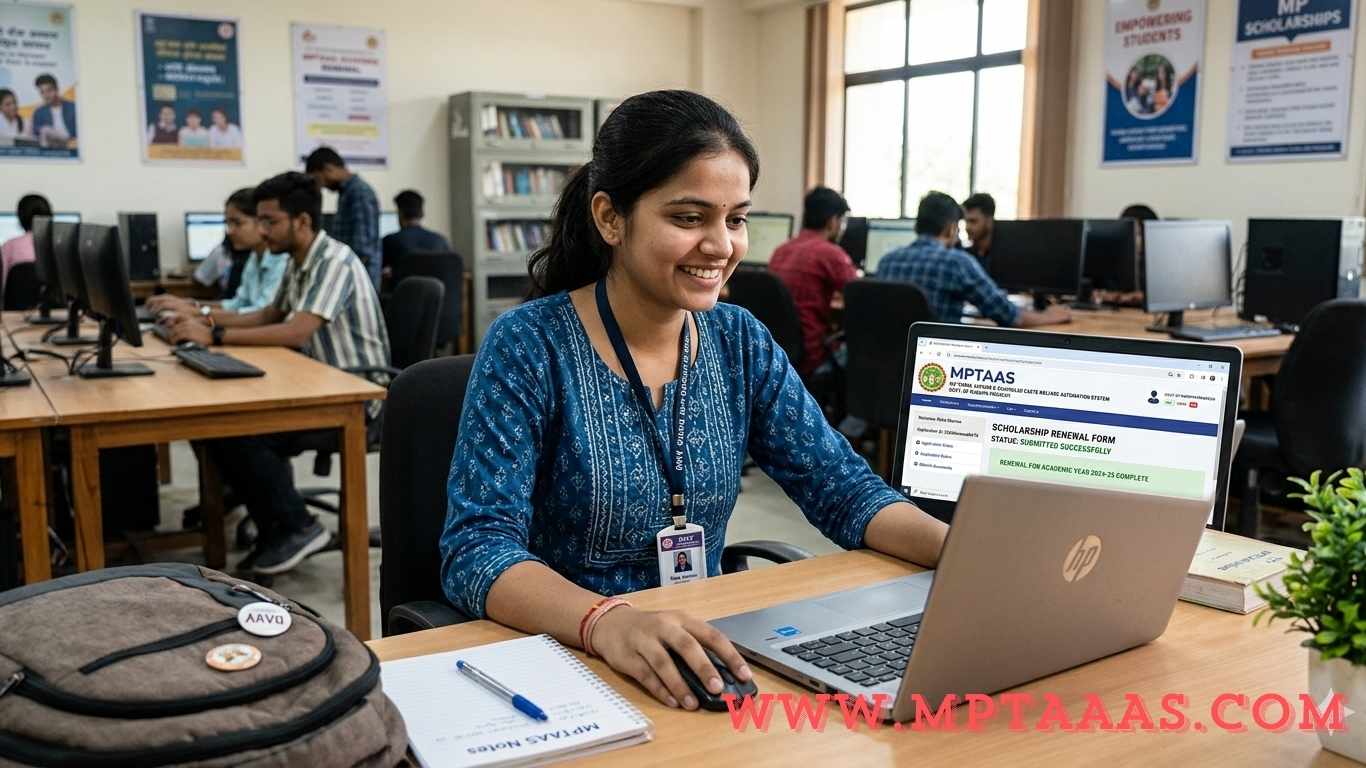
Did you receive the MPTAAS scholarship last year? If yes, you need to renew it this year to keep getting the money.
Many students miss the renewal deadline or make small mistakes that get their application rejected. This guide will help you avoid those mistakes. You will learn exactly what to do, step by step, to renew your MPTAAS scholarship for the 2026 academic session.
This guide covers everything — who can renew, what documents you need, how to fill the renewal form, how to check your status, and how to fix common problems.
What Is MPTAAS Scholarship Renewal?
The Madhya Pradesh Tribal Affairs Automation System, commonly known as MPTAAS, is an online portal run by the Tribal Welfare Department, Government of Madhya Pradesh. It provides financial help to students from Scheduled Caste (SC), Scheduled Tribe (ST), and Other Backward Class (OBC) communities who are studying after Class 10.
MPTAAS scholarship renewal is the yearly process where students who already received the scholarship apply again for the new academic year. You do not apply as a fresh student. Instead, you update your information and prove that you are still studying and still eligible.
The official website for this portal is tribal.mp.gov.in/MPTAAS.
Renewal vs Fresh Application — What Is the Difference?
A fresh application is for students who are applying for the first time. A renewal application is for students who already got the scholarship in the previous year and want to continue receiving it.
Renewal is simpler than a fresh application because the system already has your basic profile. You mainly need to update your academic records and upload new documents for the current year.
Who Is Eligible for MPTAAS Scholarship Renewal in 2026?
Before you start the renewal process, make sure you qualify. Here are the conditions you must meet.
Basic Eligibility Conditions for Renewal
- You must be a permanent resident of Madhya Pradesh
- You must belong to the SC, ST, or OBC category
- You must have received the MPTAAS scholarship in the previous academic year (2024-25)
- You must be currently enrolled in a recognized school, college, or university in Madhya Pradesh
- Your previous year’s marksheet must be available and updated on the portal
- You must not be receiving any other state or central government scholarship at the same time
Students in their 2nd, 3rd, or 4th year of their course are the main group who apply for renewal. First-year students apply as fresh applicants.
Income Limit and Attendance Requirements
The annual family income limit for renewal is the same as the original application:
- SC and ST students: Family income must be below ₹2,50,000 per year
- OBC students: Family income must be below ₹1,50,000 per year
You must also have regular attendance at your institution. Poor attendance can lead to rejection during the college verification stage.
Your caste certificate and income details are automatically fetched from the Samagra Portal. If these details are wrong on Samagra, update them there first before applying for renewal.
Documents Required for MPTAAS Scholarship Renewal 2026
You do not need to upload all documents again. Some details are carried over from your previous year’s application. However, a few documents must be updated every year.
Mandatory Updated Documents (New Every Year)
These documents are required fresh for every renewal:
- Previous year’s marksheet — Your result from the last academic session. This is the most important document. Without it, the portal will not allow you to proceed.
- Bonafide certificate — A certificate from your college confirming that you are currently enrolled as a student.
- Fee receipt or admission slip — Proof that you have paid your fees or taken admission for the current year.
- Aadhaar-linked bank account details — Your bank account must be linked with your Aadhaar for Direct Benefit Transfer (DBT).
Make sure all scanned files are clear and within the file size limit. The portal accepts JPG, JPEG, and PDF formats.
Documents Carried Over from Previous Year (Auto-Filled)
The system automatically fills these from your previous application:
- Income certificate (from your previous year’s submission)
- Caste certificate (fetched from the Samagra portal)
- Samagra ID
- Aadhaar number
Even though these are auto-filled, check them carefully. If any detail looks wrong, update it on the Samagra portal before you submit the renewal form.
How to Renew MPTAAS Scholarship Online — Step-by-Step Process
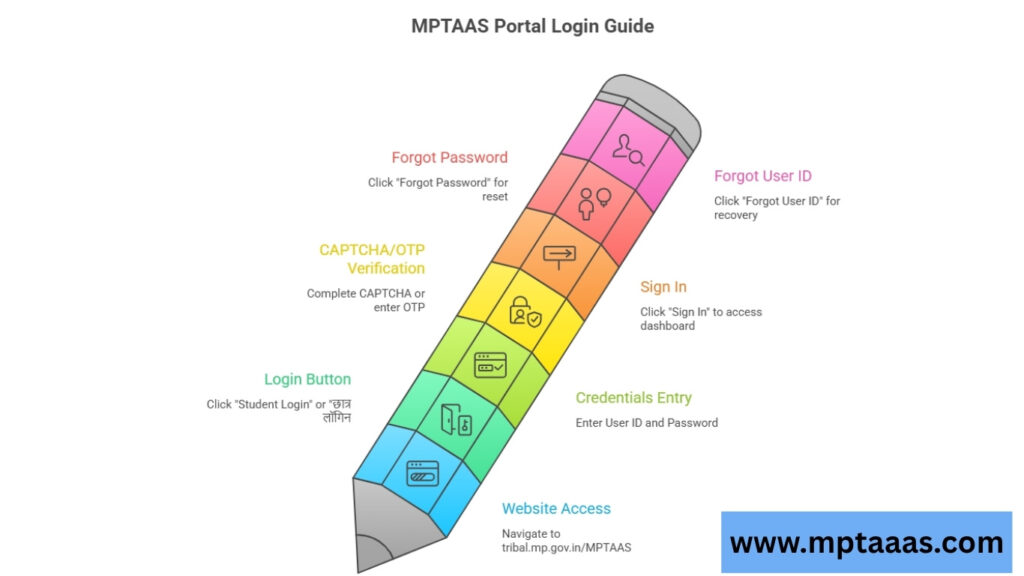
This is the main section. Follow each step carefully. Do not skip any step.
Step 1: Login to the MPTAAS Portal
Open your browser and go to the official website: tribal.mp.gov.in/MPTAAS
On the homepage, click on the “Student Login” or “छात्र लॉगिन” button.
Enter your User ID and Password that you created during your first registration. Then complete the CAPTCHA or enter the OTP sent to your registered mobile number.
Click “Sign In” to open your student dashboard.
Forgot your password? Click the “Forgot Password” link on the login page. Enter your registered mobile number or Samagra ID and you will receive an OTP to reset your password.
Forgot your User ID? Click “Forgot User ID” and enter your mobile number or profile ID to recover it.
Step 2: Go to the PMS (Post Matric Scholarship) Tab
After logging in, you will see your student dashboard. Look for the “PMS” dropdown menu or the “Post Matric Scholarship” section.
Click on “Application Apply” inside the PMS menu. This will open the scholarship application page.
Step 3: Select the Correct Admission Year and Choose “Renewal”
This step is where most students make mistakes. Read this carefully.
You will be asked to select an admission year. Always select the year when you first joined the course — not the current year. For example, if you started your B.Sc. in 2023, select 2023.
Then select application type as “Renewal” (not Fresh). This tells the system you are an existing student continuing from last year.
Next, select your current course year — for example, 2nd Year or 3rd Year.
After selecting all details, click “Go for Apply” or “Proceed”.
Step 4: Wait for the “Success” Message — Marksheet Sync
After you click Proceed, the system will try to find your previous year’s results from the M-S-M portal (Mark Sheet Management Portal).
If your marks are already updated, you will see a “Success” message. This means you can continue filling the renewal form.
What if “Success” does not appear?
This is a very common problem. It happens when your college has not yet updated your results on the M-S-M portal.
To fix this, go to your college and speak with the Nodal Officer. Ask them to update your marksheet on the M-S-M portal. Once they do that, come back and try again. The Success message will appear after the marks are synced.
Do not try to submit the renewal form without this Success message. It will not work.
Step 5: Fill the Renewal Form and Update Your Details
Once the Success message appears, your renewal form will open. Most of your details from last year will already be filled in.
Check and update the following information:
- Current academic details — course year, roll number, fees for 2025-26
- Institution name — make sure it is correct and matches the official portal list
- Bank account details — account number and IFSC code must be correct and active
- Personal details — name, parents’ names, address
Step 6: Upload New Documents and Submit
Upload the required documents — marksheet, bonafide certificate, and fee receipt — in the correct format and within the file size limit.
After uploading, read through your entire form one more time to verify everything.
Then click “Submit”.
After submission, a confirmation pop-up will appear. Confirm the renewal and click Exit.
You will receive a new Application ID or Reference Number. Save this number. You will need it to track your renewal status later.
MPTAAS Renewal Last Date 2026 — Application Timeline
The MPTAAS scholarship renewal for 2025-26 follows a fixed timeline every year. Here is what you can expect:
| Stage | Expected Timeline |
| Fresh applications open | August – September 2026 |
| Renewal applications open | September – October 2026 |
| Last date for renewal | January 2026 (expected) |
| College verification period | October 2025 – February 2026 |
| Department approval | February – April 2026 |
| Scholarship payment released | June – July 2026 |
Important: The official last date is announced on the portal. Always check tribal.mp.gov.in/MPTAAS for the latest updates. Do not wait until the last day. Server traffic is very high near the deadline and students often face technical problems.
How to Check MPTAAS Renewal Application Status Online
After submitting your renewal form, you can track its progress through the portal.
Follow these steps to check your status:
- Go to tribal.mp.gov.in/MPTAAS and log in with your credentials
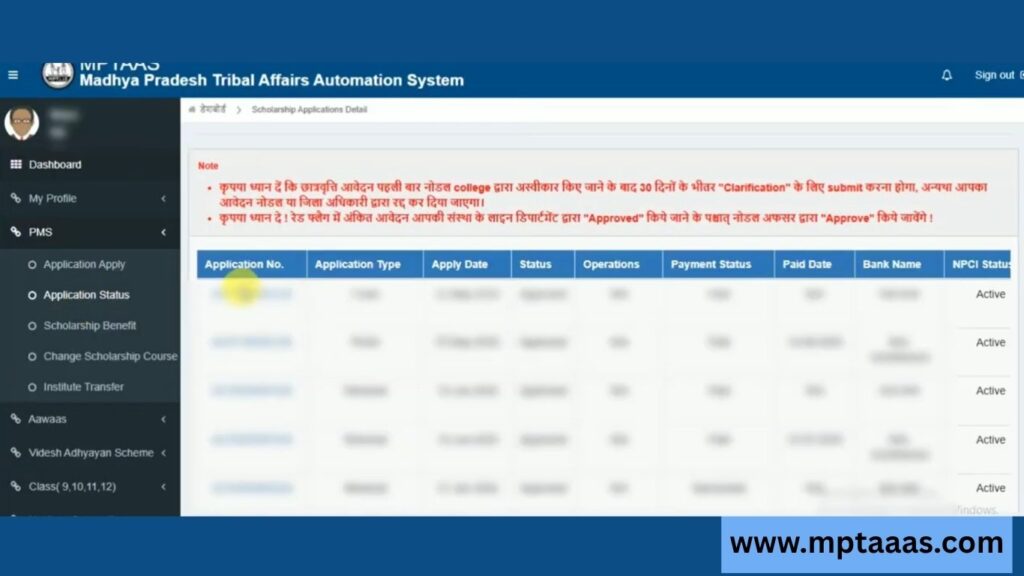
- Click on the PMS tab
- Select “Application Status”
- Enter your Application ID and academic year
- Click Submit to see your current status
Here is what each status means:
| Status | Meaning |
| Submitted | Your form has been received and is waiting for review |
| Under Review | The scholarship committee is currently checking your application |
| Approved | Your renewal has been accepted. Payment will follow shortly |
| Rejected | Your application was not approved. Check the reason and reapply |
| Payment Released | The scholarship amount has been sent to your bank account |
How to Track Scholarship Payment After Approval
Once your application is approved, the scholarship amount is sent directly to your Aadhaar-linked bank account through DBT (Direct Benefit Transfer). This means no middlemen — the money goes straight to you.
To confirm the payment, use the PFMS “Know Your Payment” feature on the PFMS portal. You can also check your Application Status section on the MPTAAS portal for NPCI status updates.
Make sure your bank account is active and properly linked to your Aadhaar card. If the NPCI mapping is not set up correctly, the payment will fail even after approval.
Common MPTAAS Renewal Problems and How to Fix Them
These are the most common problems students face during renewal. Read through this section carefully before you start your application.
Problem 1: “Success” Message Not Appearing
This is the most common issue. It happens when your college has not updated your results on the M-S-M portal.
Fix: Visit your college’s administrative office or find the Nodal Officer. Ask them to upload your marksheet to the M-S-M portal. Once done, log in again and try the renewal. The Success message will appear.
Problem 2: Renewal Application Got Rejected
Rejection usually happens because of one of these reasons:
- Document mismatch — Name on documents does not match the Samagra portal
- Wrong admission year selected — You selected the current year instead of the original year
- Expired income or caste certificate — Old documents are no longer valid
- Bank account not linked to Aadhaar — DBT cannot work without this link
- Wrong institution — Your college is not in the approved list
Fix: Check the rejection reason on the portal, fix the specific issue, and reapply before the deadline. If needed, file a grievance through the Grievance section on the portal.
Problem 3: Scholarship Payment Not Received
You got approved but the money never came to your account.
Common reasons:
- Bank account is inactive or closed
- Aadhaar eKYC is not completed
- NPCI mapping issue with bank account
Fix: Complete your Aadhaar eKYC on the portal. Visit your bank to activate your account and ensure Aadhaar is linked. Then check NPCI status through the portal. You can also call the helpdesk numbers listed below.
Problem 4: Forgot Password or User ID
Fix: On the MPTAAS login page, click “Forgot Password” or “Forgot User ID.” Enter your registered mobile number or Samagra ID. You will get an OTP to reset your credentials.
Helpdesk Contact Numbers
If you cannot resolve your issue through the portal, contact the official helpdesk:
- ST Students: 1800-2333-951 (Toll Free)
- SC Students: 1800-2331-626 (Toll Free)
- OBC Students: 0755-2553329 or 0755-2675521
You can also file and track a complaint through the Grievance section inside the MPTAAS portal.
MPTAAS Scholarship Amount After Renewal 2026
After a successful renewal, the scholarship amount you receive depends on your course type and whether you are a hosteller or a day scholar.
| Category | Day Scholar | Hosteller |
| Class 11 & 12 | ₹230/month | ₹380/month |
| Undergraduate (BA, BSc, BCom) | ₹530/month | ₹820/month |
| Professional / Technical (Engineering, Medical) | ₹1,000/month | ₹1,500/month |
| Postgraduate (MA, MSc, MBA) | ₹820/month | ₹1,200/month |
In addition to the monthly amount, SC and ST students in government colleges also receive full tuition fee reimbursement. The scholarship is paid for 10 months in an academic year and is credited directly to your Aadhaar-linked bank account.